 Eight Twelve Labs
BibleLock
The whole Bible, always there.
All 66 books in 15 translations, read aloud or side by side down to the Hebrew and Greek. Reading plans, prayer, a journal, and a verse on your lock screen every time you look down. It never connects to the internet.
The Bible
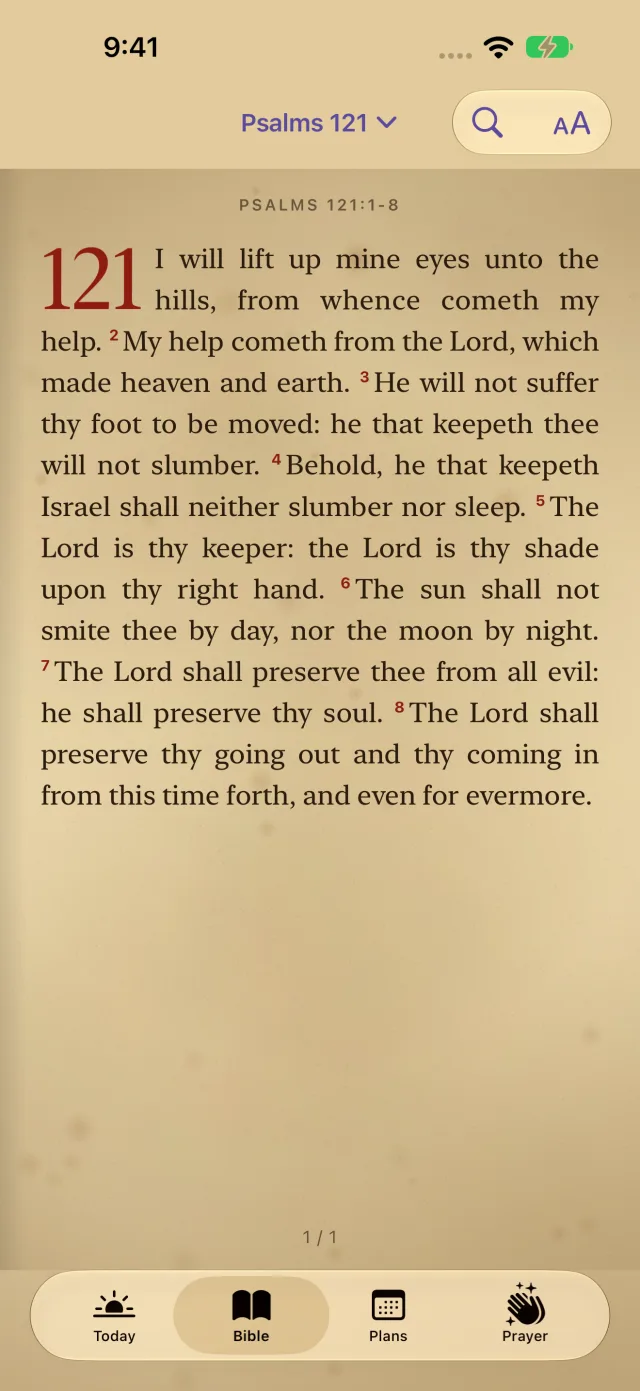
Read it the way you like
- 15 classic translations, all on the phone: King James Version, World English Bible, Reina-Valera 1909, Louis Segond 1910, Elberfelder 1905, Bíblia Livre, Riveduta 1927, Statenvertaling, Svenska 1917, the Synodal, 和合本, 개역한글, 文語訳聖書, Smith & Van Dyke and Uwspółcześniona Biblia Gdańska.
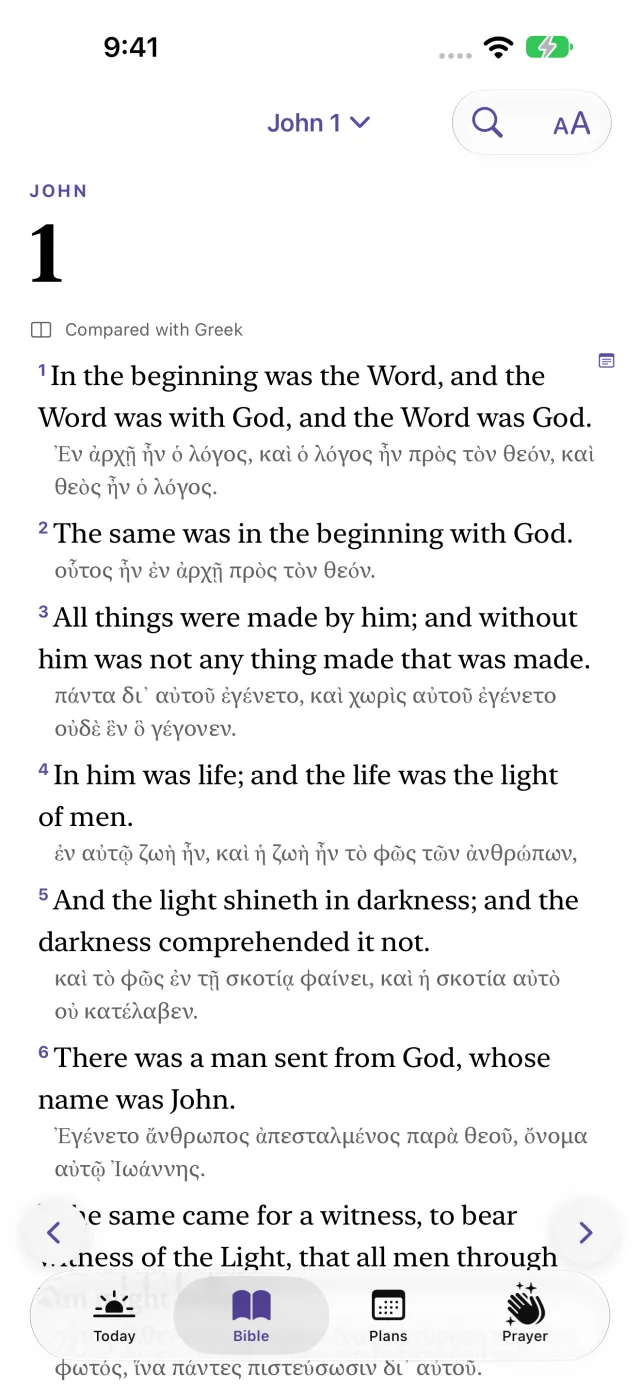
- Side by side: two translations verse by verse, or the original Hebrew and Greek under your own. Tap any word for its meaning, its Strong's number and every verse that uses it.
- Search by word or reference ("jn 3:16"), highlight, bookmark and follow cross references.
- Scroll, or turn pages like a well-loved Bible on old paper.
- Notes and a journal: write on any verse or about your day, search your notes and print them as a PDF.
Listen
An audio Bible that streams nothing
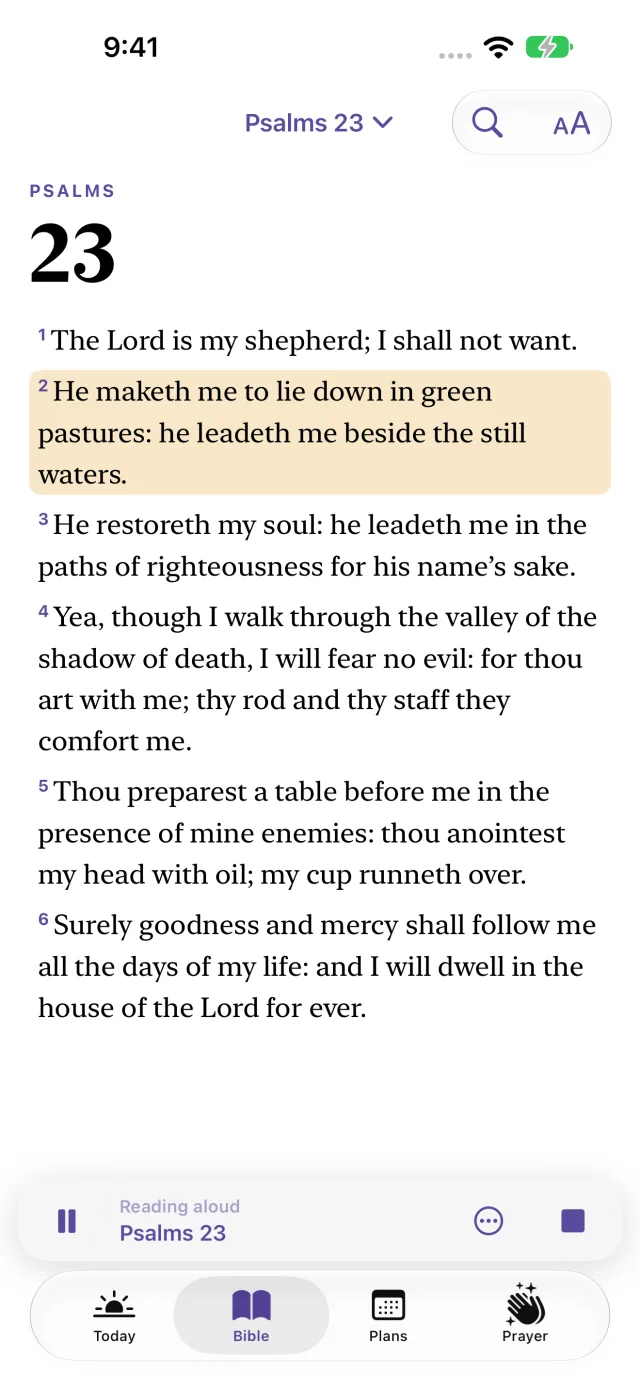
Any chapter read aloud, chapter after chapter, even with your phone locked. Choose the speed and the voice, skip chapters from the lock screen, and set a sleep timer for the end of the chapter. The voices are built into your iPhone, so it works on a plane, in the woods or anywhere the signal gives out.
Lock screen
Scripture where you look all day
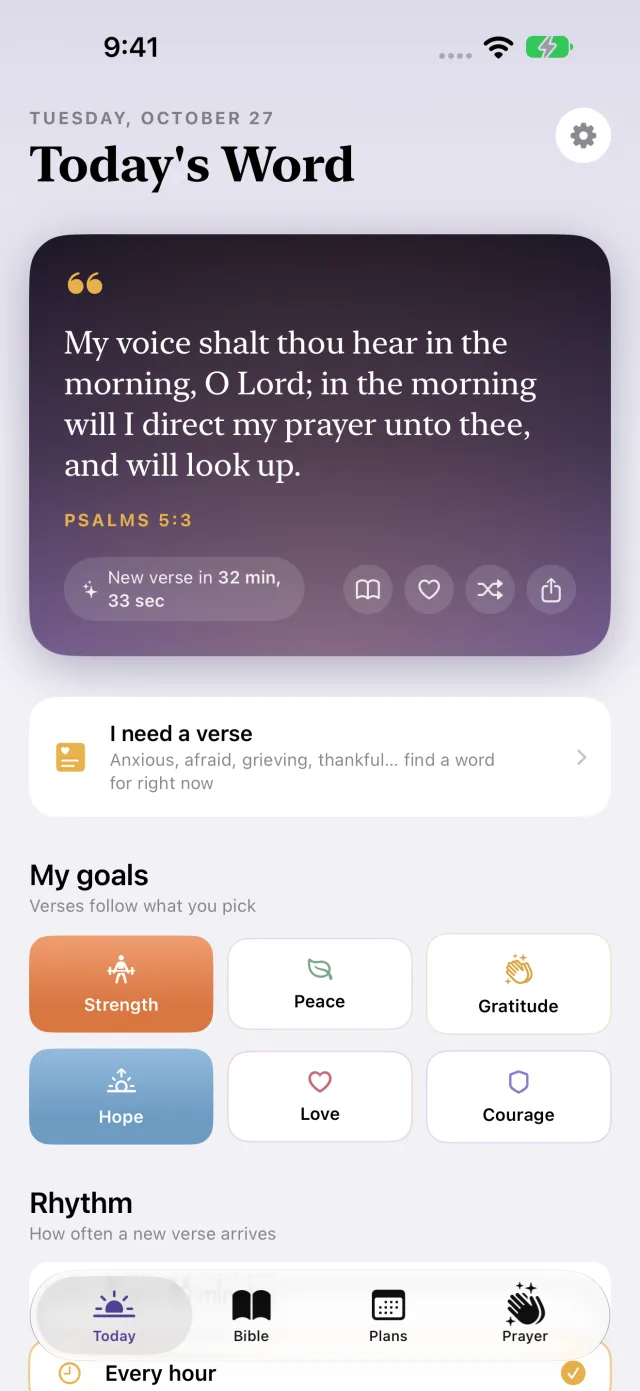
- Pick what your heart needs: Strength, Peace, Gratitude, Hope, Love or Courage, and a fitting verse appears every time you look at your phone.
- "I need a verse": anxious, afraid, grieving, lonely, thankful? Tap how you feel and read scripture for that moment, from the app, Siri, Control Center or the Action button.
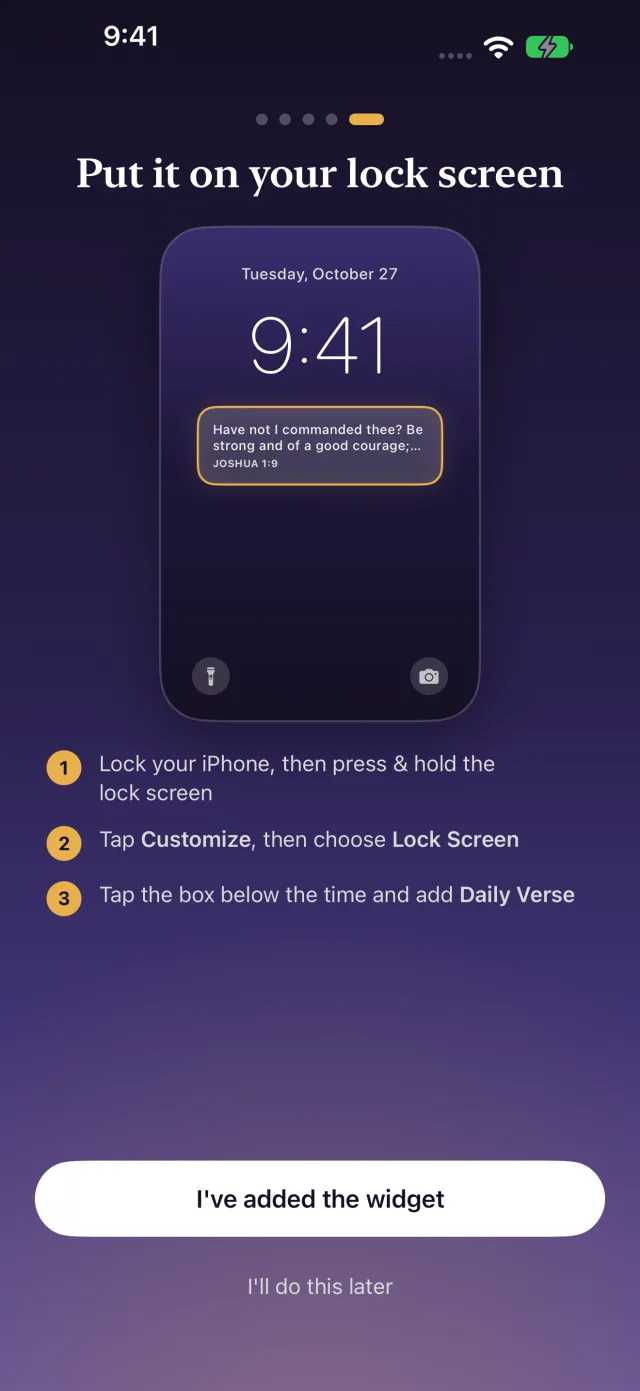
- Make it a wallpaper with a photo background, wake up to a verse alarm, or let a Focus show verses for the moment.
- Widgets for the lock screen and home screen, plus StandBy and Spotlight.
Memorize
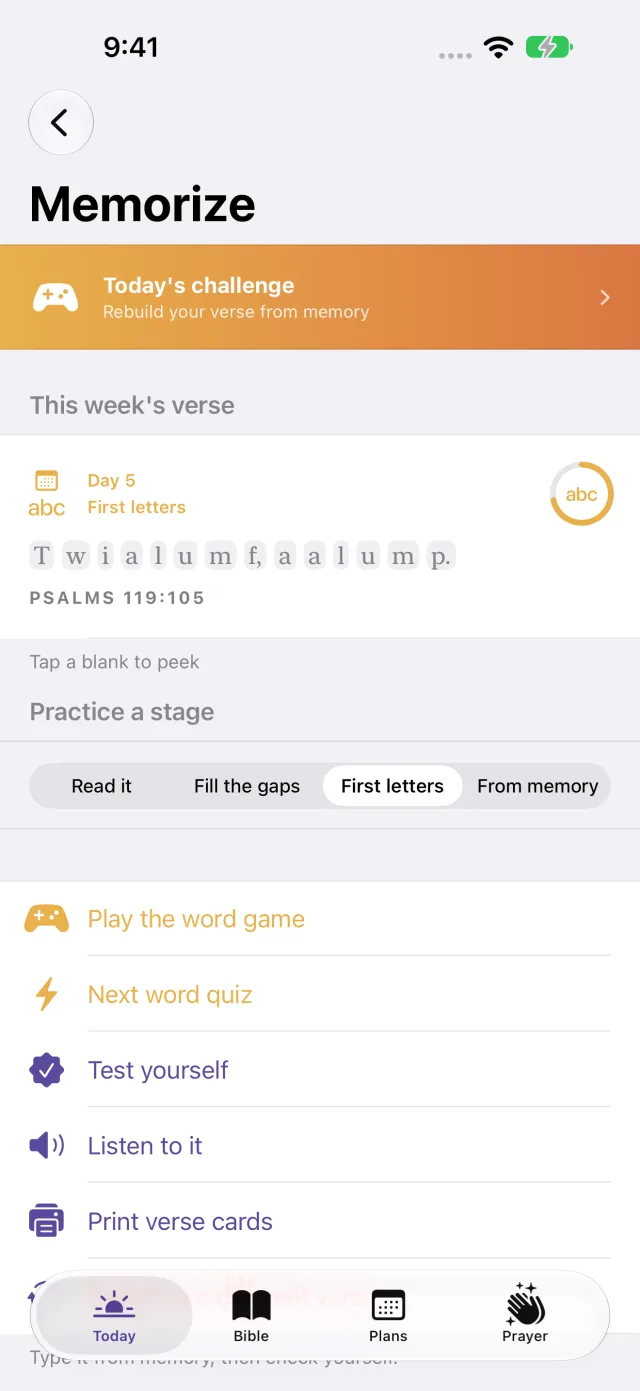
Hide it in your heart
The memory verse widget hides a little more each day: the full text, then gaps, then first letters, then from memory. Word games, quizzes and spaced reviews make it stick, and you can practice word by word on Apple Watch.
Prayer
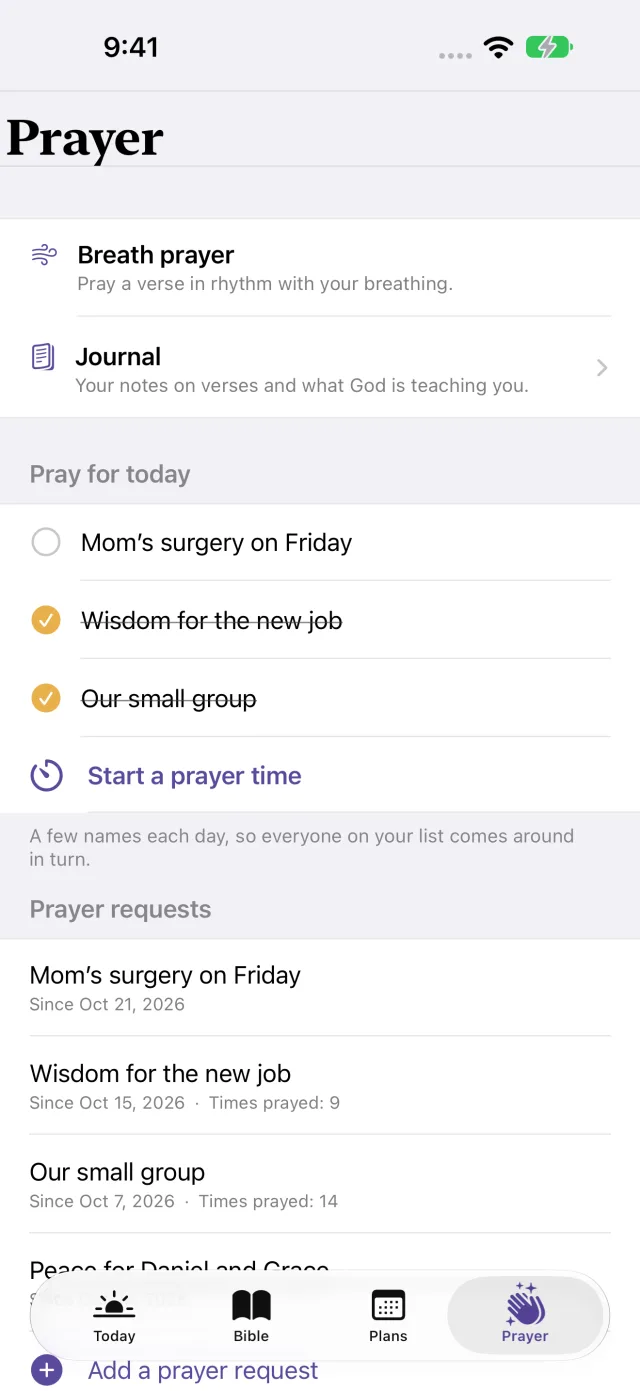
A quiet place to pray
Keep the people and needs on your heart, pray for a few each day, time a prayer session with a Live Activity, pray a breath prayer, and remember answered prayers. Your prayers stay on your phone. We couldn't read them if we wanted to.
And the rest
Plans, your group and your watch
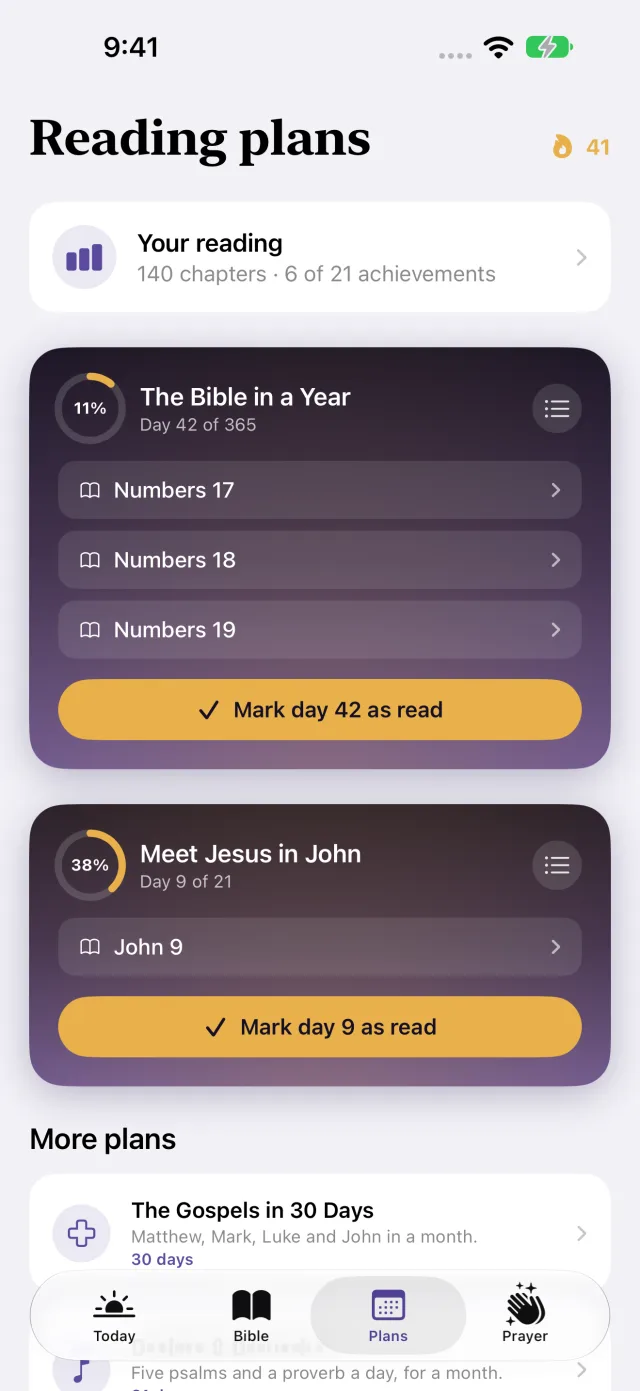
Reading plans
The Bible in a Year, Chronological, the New Testament in 90 days, the Gospels in 30, Psalms & Proverbs, and 21 days in John. Self-paced: a missed day simply waits. See every book you've read, your streaks and a Year in Review.
Your church and small group
Share a verse pack (a sermon series, a memory verse, a reading plan) as a QR code or a file. Everyone reads it in their own translation. Print plan checklists, verse cards and handouts.
Apple Watch
Today's verse and your memory verse on your wrist, word-by-word practice, breath prayer, and complications for your watch face.
One setting adds the Apocrypha as printed in the 1611 King James Version, plus 1 Enoch and Jubilees in R.H. Charles's translations. Off by default and clearly labeled.
Your privacy is the point
How BibleLock keeps everything on your phone
| No network | BibleLock never connects to the internet. There are no servers, no account and no sign-in, and the app contains no analytics, advertising or third-party code. |
|---|---|
| Your own backups | Highlights, notes, prayers and progress are part of your iPhone's own backup, which you and Apple control, never us. You can also save a backup file from Settings and keep it wherever you like. |
| Apple Watch | Verse settings go straight from your iPhone to your paired watch over Apple's local connection. Nothing passes through us. |
| Permissions | Notifications, scheduled on the phone. Adding to your photo library, only to save the wallpapers and images you make. The alarm, only if you set a verse alarm. That's all. |
Verses suggested for a feeling are encouragement, not medical, mental-health or pastoral advice. If you are in crisis or in danger, contact your local emergency services or a crisis line right away.